

Your weekly campaign.
From one sentence.
One brief on Monday. The posts, and a different email to a different part of your list, land on their own days once you approve them.
14 days free. No card.
- Mon3 Aug08:40Your brief
“Autumn cohort opens Tuesday. Six weeks, live every Thursday. Enrolment closes Friday.”
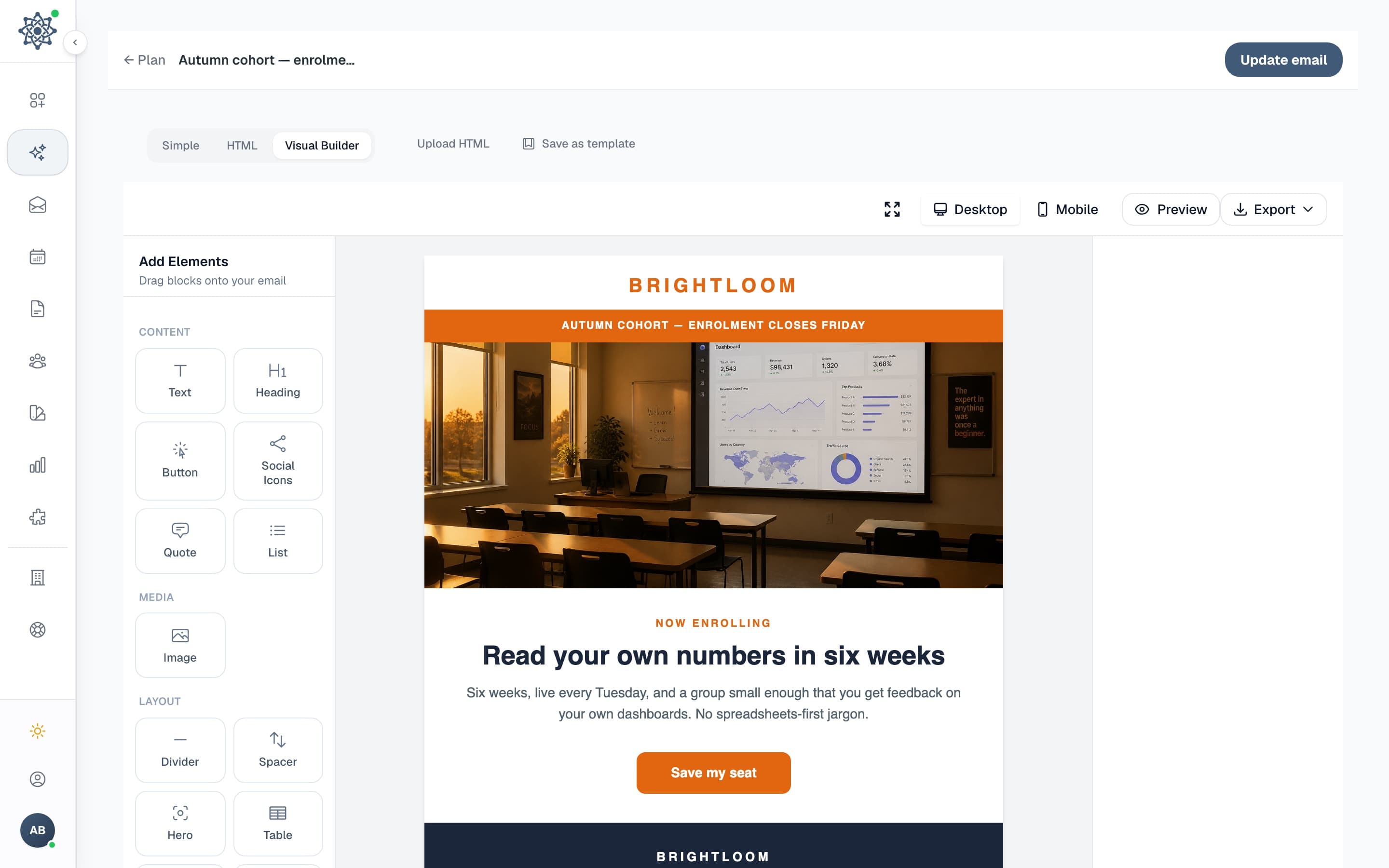
09:00EmailTo: Everyone· 1,045InboxRead your own numbers in six weeks
Brightloom to me
Hi Sam, the autumn cohort opens tomorrow. Six weeks, live every Thursday.
- Tue4 Aug09:00EmailTo: Past students· 212Inbox
You already know the room
Brightloom to meSame format, new material. Alumni seats are held until Wednesday.
12:30Postbrightloom
brightloom autumn cohort. six weeks. doors close friday. #learndata #smallbusiness
- Wed5 Aug09:00EmailTo: New this month· 138Inbox
What six weeks actually looks like
Brightloom to meWeek one is your own spreadsheet. Week six is your own dashboard.
16:00EmailTo: Opened, no click· 301InboxTwo seats left in the Thursday group
Brightloom to meA short one: the live slot fills first every year.
- Thu6 Aug09:00EmailTo: Quiet 60 days· 187Inbox
We changed the course. Here is what.
Brightloom to meShorter sessions, real data, no jargon. Doors close Friday.
10:00PostBrightloomData literacy for small businesses2hFirst live session tonight. If you have been meaning to read your own numbers, enrolment stays open until Friday. see more
 LikeCommentRepost
 - Fri7 Aug08:30EmailTo: Not yet enrolled· 882Inbox
Enrolment closes tonight
Brightloom to me
Last call for the autumn cohort. Next one is February.
Brightloom is an example brand. Every line and the picture were generated in MarketAmp. Gmail, Facebook, Instagram and LinkedIn are trademarks of their owners and appear only to show where a send lands.
You are not behind because you are slow.
You are behind because you write everything five times.
One announcement has to become an email, three posts, and a picture. Each place wants it a different way, and none of them has read what the others said.
“Summer sale starts Friday. Twenty percent off until Sunday.”
The summer sale opens Friday

Hi Sam, the summer sale opens Friday morning and runs until Sunday night. Everything in the shop is 20% off.
Our summer sale starts this Friday. 20% off everything, in store and online, until Sunday night. Bring a friend who has been putting off a treat.
brightloom.shopSummer sale at Brightloom
brightloom summer sale. friday to sunday. 20% off the lot. #summersale #shoplocal
We are opening our summer sale on Friday. If you have been meaning to try Brightloom, this is a good week for it: 20% off the full range through Sunday, and the team is in the shop all weekend if you would rather see things in person. see more
1:14:5 1.91:1
Square for the grid, tall for the story, wide for the email.
Five versions of one sentence, in five places that have never heard of each other.
Same example brand as above. The five texts and the three pictures were generated in MarketAmp. Gmail, Facebook, Instagram and LinkedIn are trademarks of their owners and appear here only to show where a post lands; none of them is affiliated with MarketAmp.
We think that is a strange way to make one person do one job.
The One-Brief Week
Describe your next campaign.
One or two sentences is enough. Say what it is for and MarketAmp works out the rest.
Read what it wrote.
The email, the posts for each network, and the images arrive together, already in your brand voice. Change anything you like.
Approve and schedule.
Every item is a draft with its own date. Approve the ones you like, move or bin the rest. Send yourself a test first. Then send it now, pick a date, or set it to repeat.
The picture is generated. The month is drafted.
Making an image and deciding what goes out when are two of the jobs that push marketing to next week. MarketAmp makes both, next to the campaign they belong to.
Pictures
Describe the picture you want, or let MarketAmp read the campaign and suggest one. It generates the image, puts it in the email, and sizes it for each social post. Your brand colours are already in it.
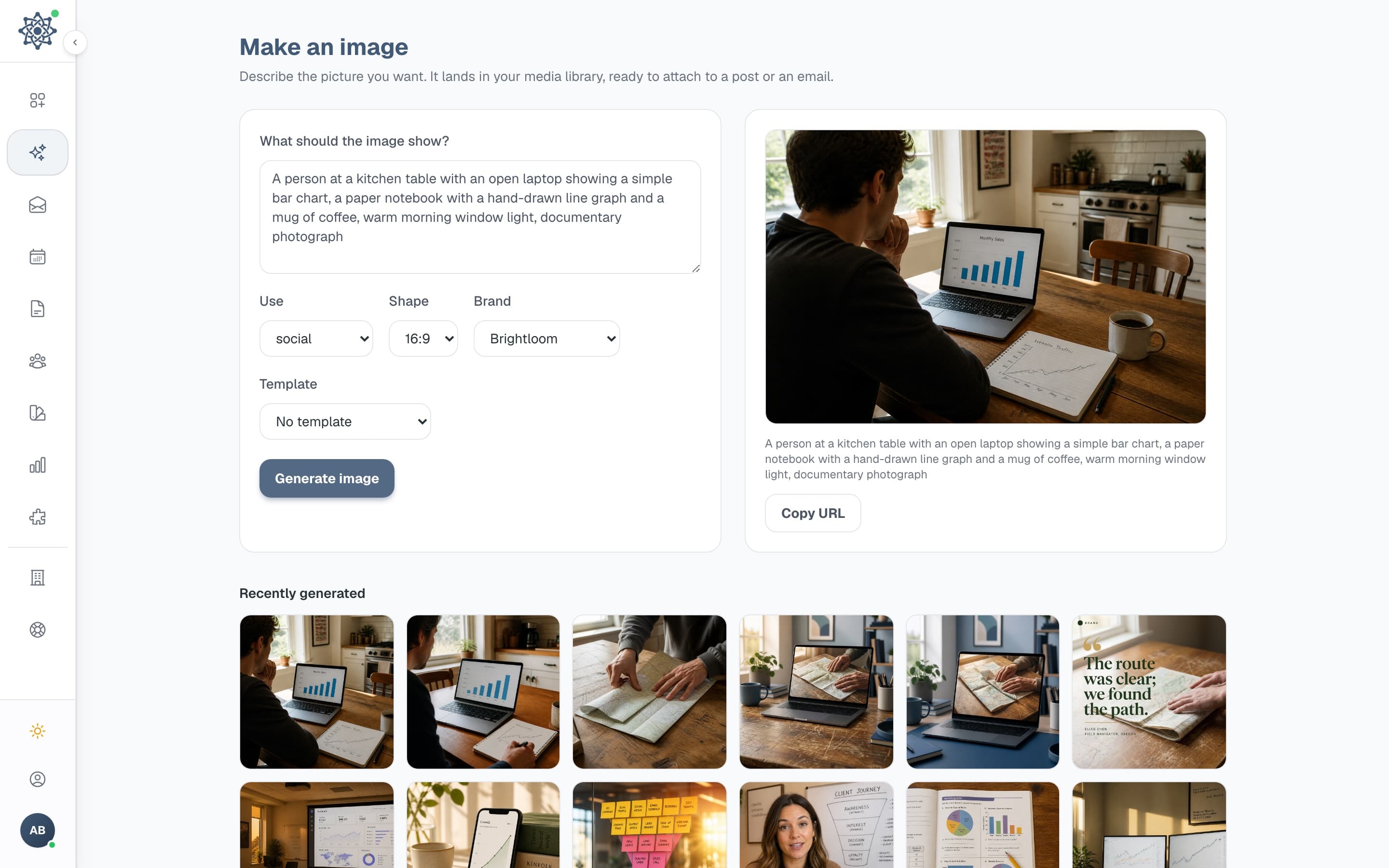

Generated from the prompt above, sized for the social post.
The month plan
MarketAmp reads your brand and proposes up to a month of campaigns: what to send, what to post, and when. Every item is a draft you can open, change, or delete. The month plan is on every paid plan.
- Tue, Aug 4Doors open: the autumn cohort
- Wed, Aug 12Last call for early pricing
- Mon, Aug 24One question we get every intake
You never start from a blank page.
Open a template, change the words, send it. The editor, the calendar and your brand kit are on the free plan too. Segments and the website scan start on Creator.
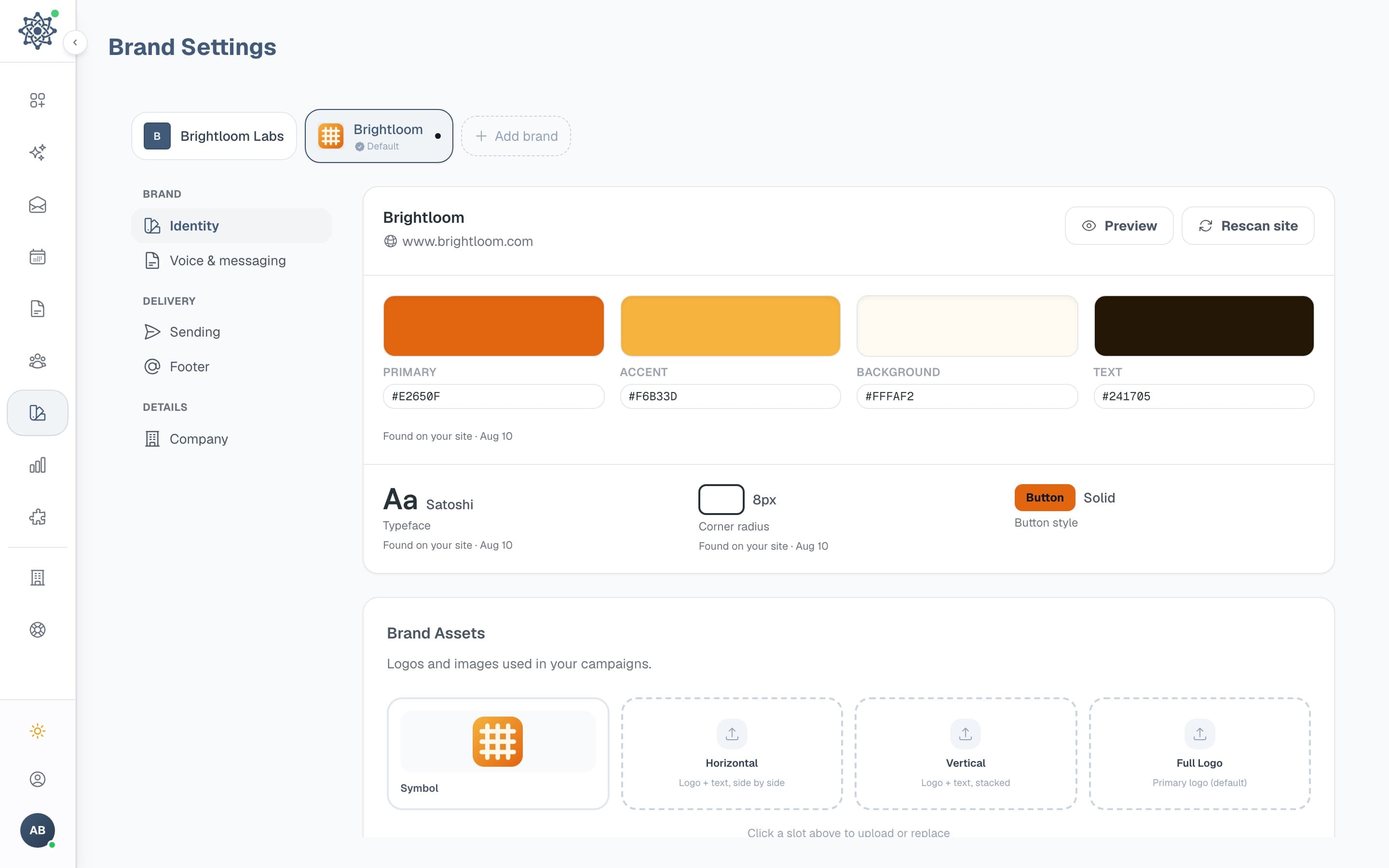
Brand kit
Scan your site once, and your logo, palette, typography and voice card go into every email, post and picture.
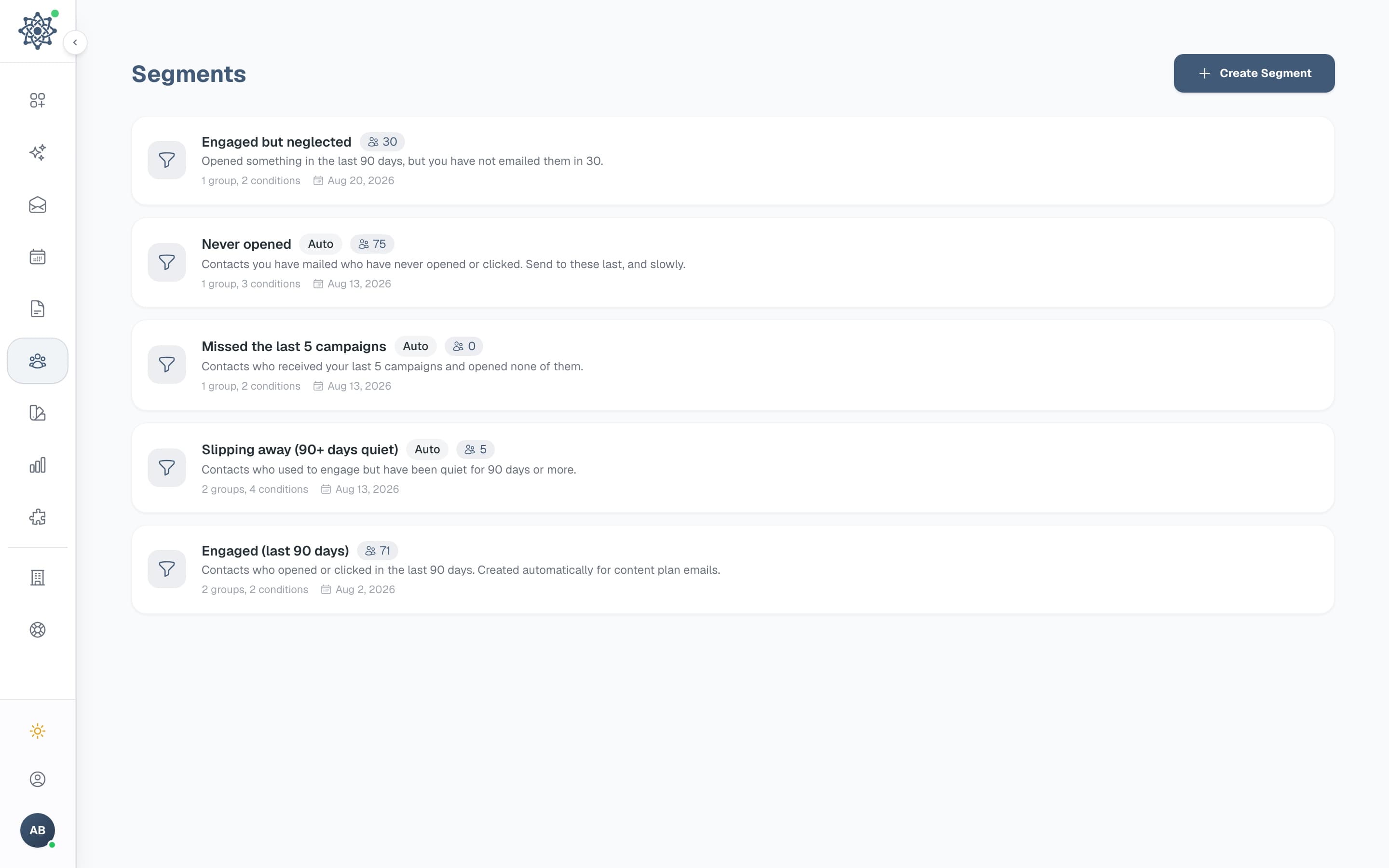
Segments
Start from a ready-made segment or build your own with and/or groups, with a live count as you go, on Creator and up.
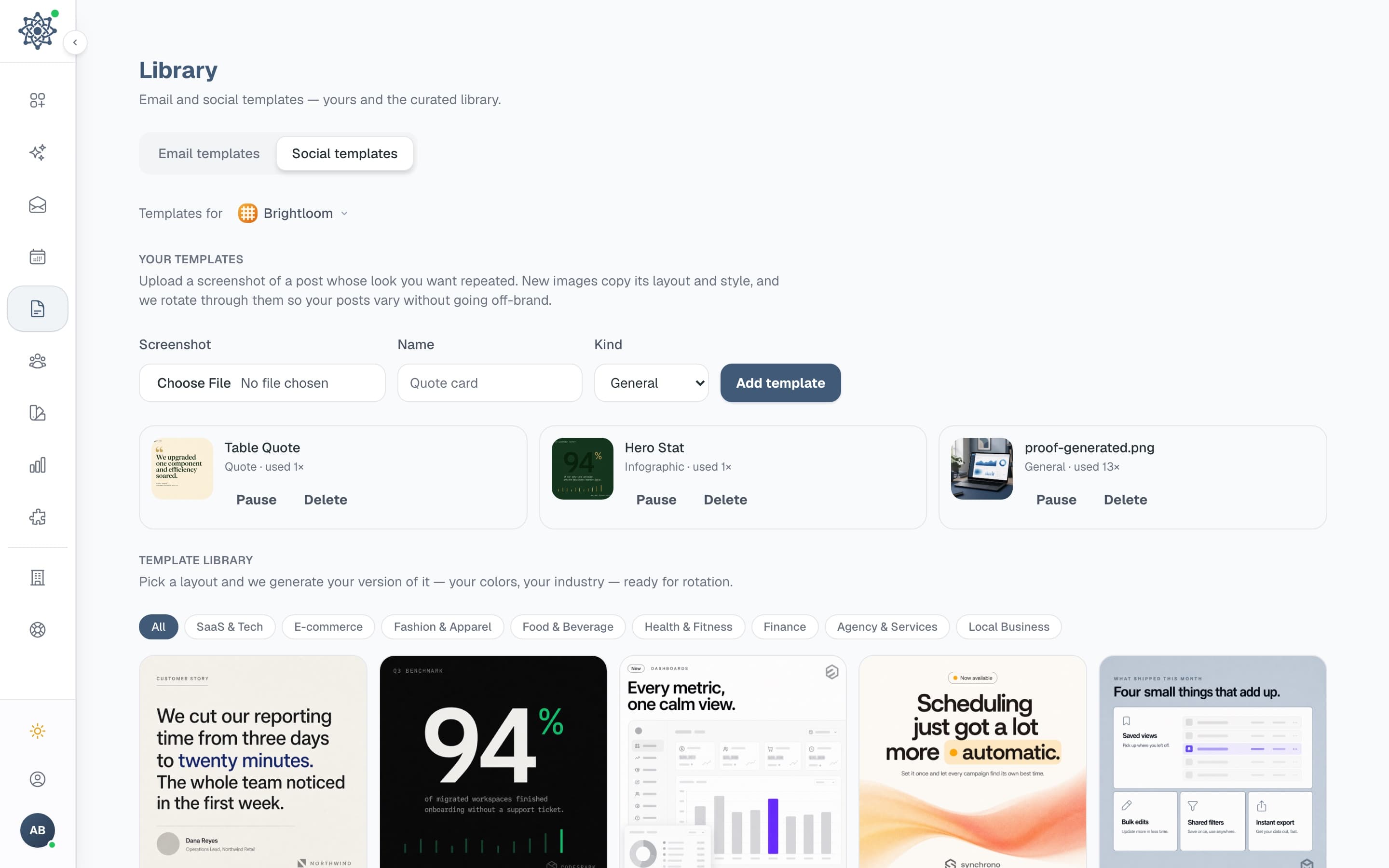
Template library
32 email templates and 48 social layouts, free on every plan.
Your open rate counts people, not robots.
Apple Mail opens messages before anyone reads them, and security scanners click every link in an email to check it is safe. MarketAmp separates those out, so the number you see is the number of humans. You can switch the filtering off if you would rather see the raw count.
Those figures are one worked example, not an average. We have no average to quote you, because we have no customers to average yet.
Complaints and dead addresses are suppressed on the spot. On paid plans you can send a big campaign over several days, most-engaged first, and MarketAmp pauses it itself if bounces or complaints spike.
One example campaign
- Opens, rawWhat most tools show you41.2%
- Apple Mail privacy opensOpened before anyone read it−14.9%
- Security scannersEvery link clicked to check it is safe−3.6%
- PeopleThe number MarketAmp shows you22.7%
MarketAmp posts where you already are, and sends from your own domain.
 HubSpot
 Pipedrive
 Zoho
ZohoSend from a MarketAmp address today, or connect your own domain. You get the exact DNS records and MarketAmp checks them for you, so mailbox providers can tell it is really you.
Connect HubSpot, Zoho or Pipedrive and new contacts arrive on their own. Bringing a list? Any CSV works, MarketAmp maps the columns.
Pay for the size of your list.
Every paid plan posts to every channel.
Every trial runs on Creator for 14 days. No credit card.
Switch to annual and two months are free.
Free
Free forever. No card, no expiry.
Enough to send your first campaign this week.
- 1,000 contacts
- 1,000 emails/month
- 5 AI generations/month
- 3 AI images/month
- Basic analytics
Best for one person
Creator
Every channel, for one person.
Billed monthly, cancel any time
Need more? Add 5,000 contacts from $10/mo.
Everything in Free, plus:
- 5,000 contacts
- 50,000 emails/month
- 120 AI generations/month
- 60 AI images/month
- Unlimited campaigns
Questions before you start
There is no SMS and there is no ad manager. If you want a tool that does everything, this is not it. MarketAmp does email, social posts, and the images that go with them, and it tries to do those three without you thinking about them much. LinkedIn is personal profiles only, and the content planner is a paid feature rather than a free one.
Write one brief on Monday.
Spend the rest of the week on the business.
You read the email and the posts, change what you want, and approve them. Then they go out, and you go and do the work you actually started the business to do.
14 days free on Creator. No card, and nothing sends until you approve it.